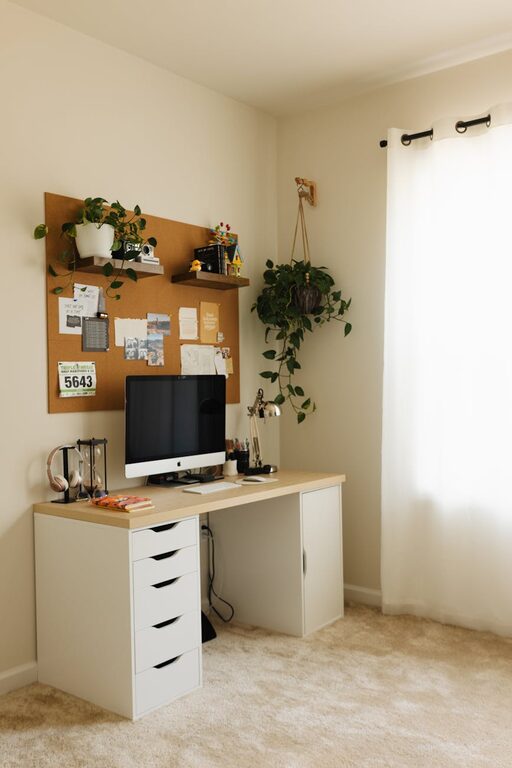
Creating a productive home workspace is more important than ever as many people embrace remote work or spend more time working from home. A well-designed workspace can help you stay focused, reduce distractions, and maintain a healthy work-life balance. Whether you have a dedicated room or just a small corner in your living space, these tips will guide you in arranging an environment that supports your productivity.
Choose the Right Location
Find a Quiet Spot
Select a space away from the busiest areas of your home. Avoid high-traffic zones like near the kitchen or living room where noise and interruptions are common. A quiet corner or spare room works best to help you concentrate.
Natural Light Matters
Try to set up your workspace near a window to benefit from natural daylight. Sunlight can improve mood, energy levels, and reduce eye strain. If natural light is limited, invest in good quality, adjustable lighting that mimics daylight.
Invest in Comfortable Furniture
Ergonomic Chair and Desk
Comfort is key when you spend hours working. A supportive chair with lumbar support and height adjustment is a must. Pair it with a desk at the right height to keep your wrists and arms comfortable while typing or writing.
Keep Essentials Within Reach
Organize your workspace so that frequently used items like pens, notebooks, or your phone are easy to access. This minimizes interruptions and helps maintain your workflow.
Organize and Declutter
Use Storage Solutions
Tidy spaces reduce stress and distractions. Use shelves, drawers, and organizers to keep your desk clean. Labeling storage containers or folders can help you find things quickly.
Limit What’s on Your Desk
Keep only the essentials on your work surface. A clutter-free desk improves focus and lets you use your space efficiently.
Manage Technology Wisely
Reliable Equipment
Use updated and reliable tech like laptops, monitors, and keyboards that suit your work needs. Consider dual monitors if you multitask frequently.
Minimize Distractions
Turn off non-work related notifications on your devices during work hours. Consider apps that block distracting websites to maintain concentration.
Create a Routine and Boundaries
Set Work Hours
Define clear start and end times for your workday. Having a schedule helps separate work time from personal time, especially when your home is your office.
Communicate with Others
If you live with family or roommates, let them know your work schedule and workspace boundaries to minimize interruptions.
Personalize Your Space
Add Inspiring Elements
Decorate with plants, artwork, or motivational quotes that make your workspace inviting. A pleasant environment can boost your mood and creativity.
Control Temperature and Ventilation
Ensure good air circulation and a comfortable temperature. Portable fans, heaters, or opening windows can help depending on your climate.
Take Regular Breaks
Stretch and Move
Sitting for long periods can be harmful. Set reminders to stand, stretch, or walk for a few minutes every hour to stay healthy and refresh your mind.
Use Break Time Wisely
Step away from screens and work materials during breaks. Engage in activities you enjoy, such as reading or listening to music, to recharge.
Keep Learning and Adjusting
Evaluate Your Setup
Periodically review your workspace and habits. Small tweaks, like adjusting chair height or decluttering, can improve comfort and productivity.
Stay Open to New Ideas
Explore productivity techniques or tools and adapt what works best for you. Flexibility is important as your needs evolve.
—
By applying these tips, you can create a home workspace that helps you stay motivated, organized, and productive. Remember that your ideal setup is personal, so focus on what makes you feel comfortable and efficient. With a little planning and care, your home office can become a place where great work happens every day.